
In-the-Field Pricing Guide
Pricing in the field is a great way to get a real time profit analysis and to make sure you actually have a "golden nugget" in your hand.
Whether you like it or not - eBay has become the defacto "market" guide for any and everything resell. "Flippers" or "Scalpers" or "Resellers" whatever the name you choose to label yourself or others - use eBay as the definitive source of resale price guide - and for good reason - the eBay market place is global and is the largest online resale market there is - their price history is top notch and their buyers set the price.
So how do we leverage this? Well you made the first step in coming to this site - which lets you track the market for the items you are interested in, the second step is checking something that caught your interest - so lets do that.
First I highly recommend downloading and installing the ebay app to your mobile device and or at least creating an account on your desktop - you can do that here: https://signup.ebay.com/
Desktop Instructions:
- search the item in ebays search bar:

- scroll down on the left navigation until you see the SHOW Only section and click the box for sold items and completed items (its important to do both, as this shows you auctions that are over, and paid for; if you do sold only - the buyer may not have paid and the prices will be skewed)
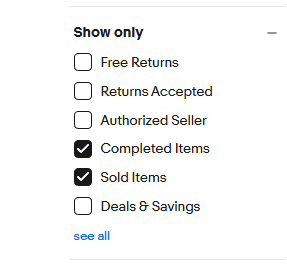
- make sure you sort in the top center of the screen by Ended Recently this is very important as this gives you a cleaner snap shot of most recent sales, and you aren't looking at hyped up pre-sales; or inflated market demand; ended recently is what people are paying within the last 30 days and it helps you gauge is it worth the flip. NEVER sort by highest first - this will give you a very false sense of worth.. look at ended recently, scroll through about 2 weeks worth of sales and take the average. There you go..

Pro tip: If the item has a barcode - you can manually type it into the search bar on your desktop - unless its a multi-sku item (like hot wheels where 1 upc covers an entire year of models) - you will be able to very accurately find the item you are price checking.
Mobile Instructions:
Almost Identical to the desktop instructions - but way handier for items with barcodes:
Without barcode:
Open the app, tap the search bar and type in what you want to look up - use keywords that are JUST generic enough - Zelda Nintendo DS for example covers both 3ds and 2ds.
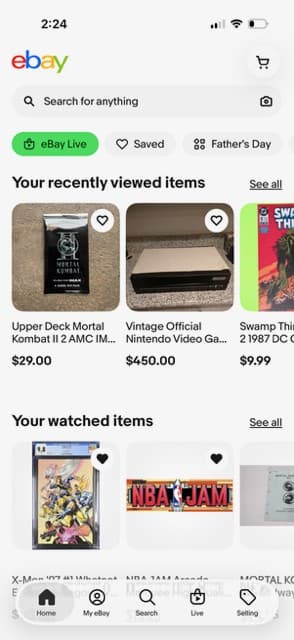
then tap filter
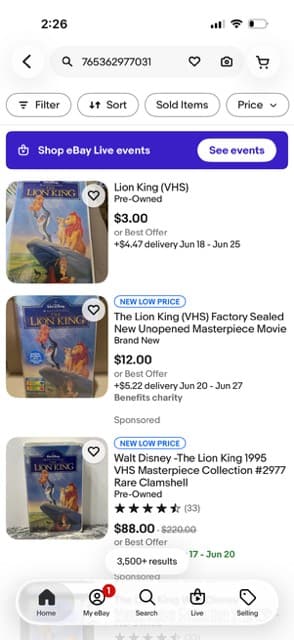
then scroll down and tap the sold and completed items buttons
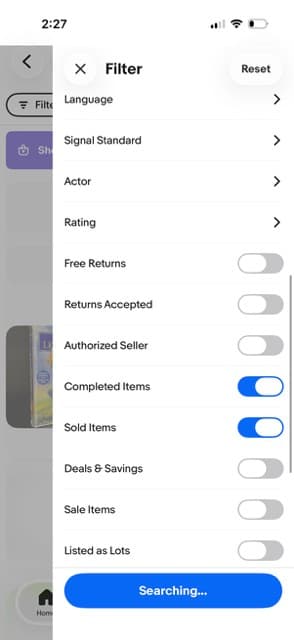
and then tap out of the filter screen to see the recently sold items
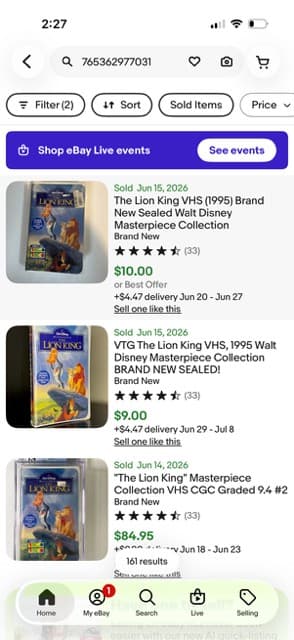
With barcode:
tap the camera icon in the search bar within the app
point your phones camera to the barcode
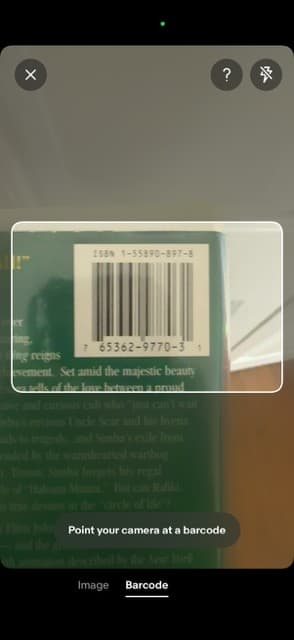
then tap filter
then scroll down and tap the sold and completed items buttons
and then tap out of the filter screen to see the recently sold items
And that's it! You are now an infield pricing master - and you never know what Nuggets you might just find wandering the flea markets/garage sales/thrift stores in your area!